Talk to your database
in plain English
A Chrome extension for your local Azure Cosmos DB emulator. Ask questions, explore schemas, write data — the AI writes and runs actual queries for you.
Azure Cosmos DB Sidekick
● Connected
📂 ordersDb › orders
Ask about your data…
Demo
See it in action
Capabilities
Everything you need to explore your data
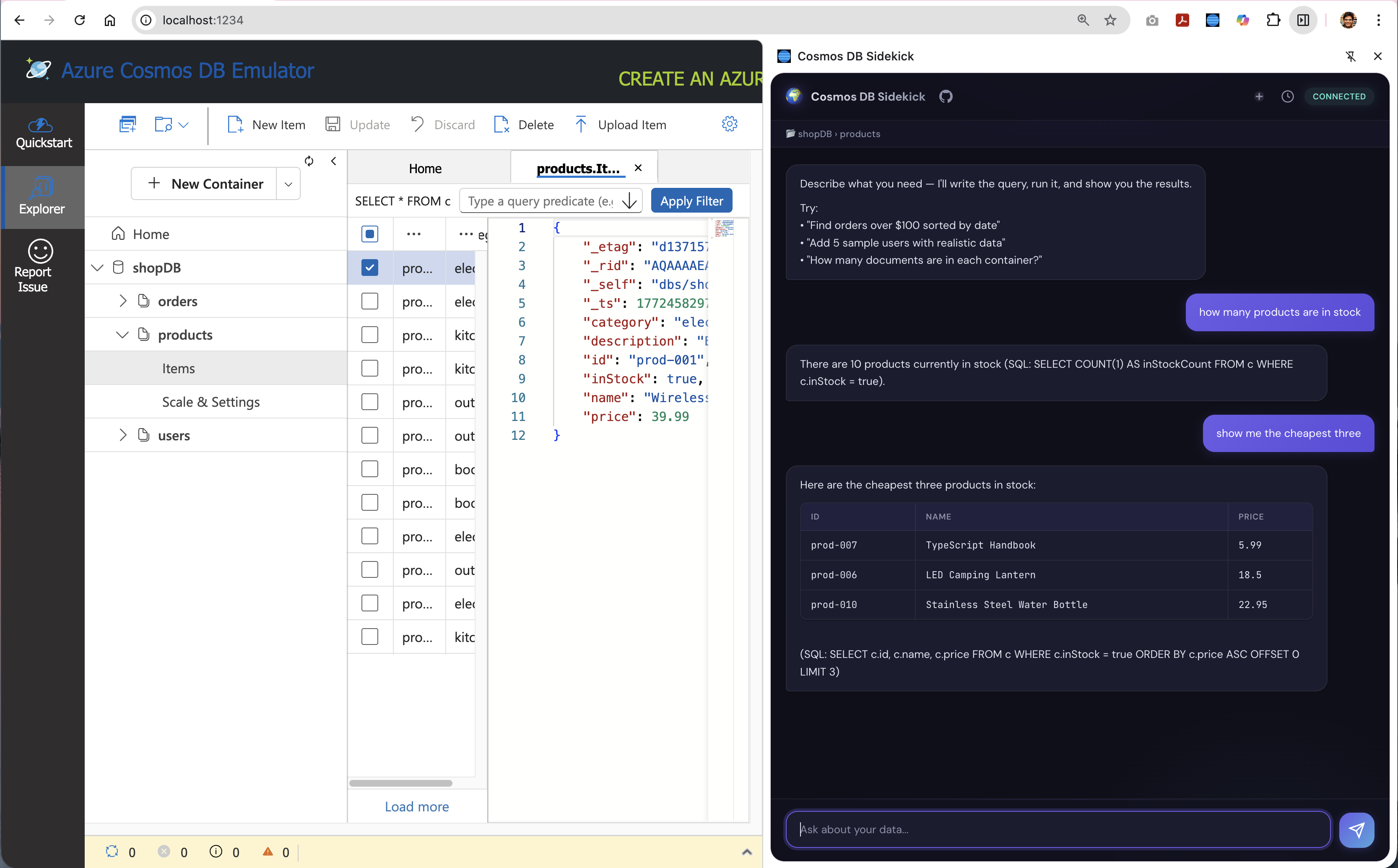
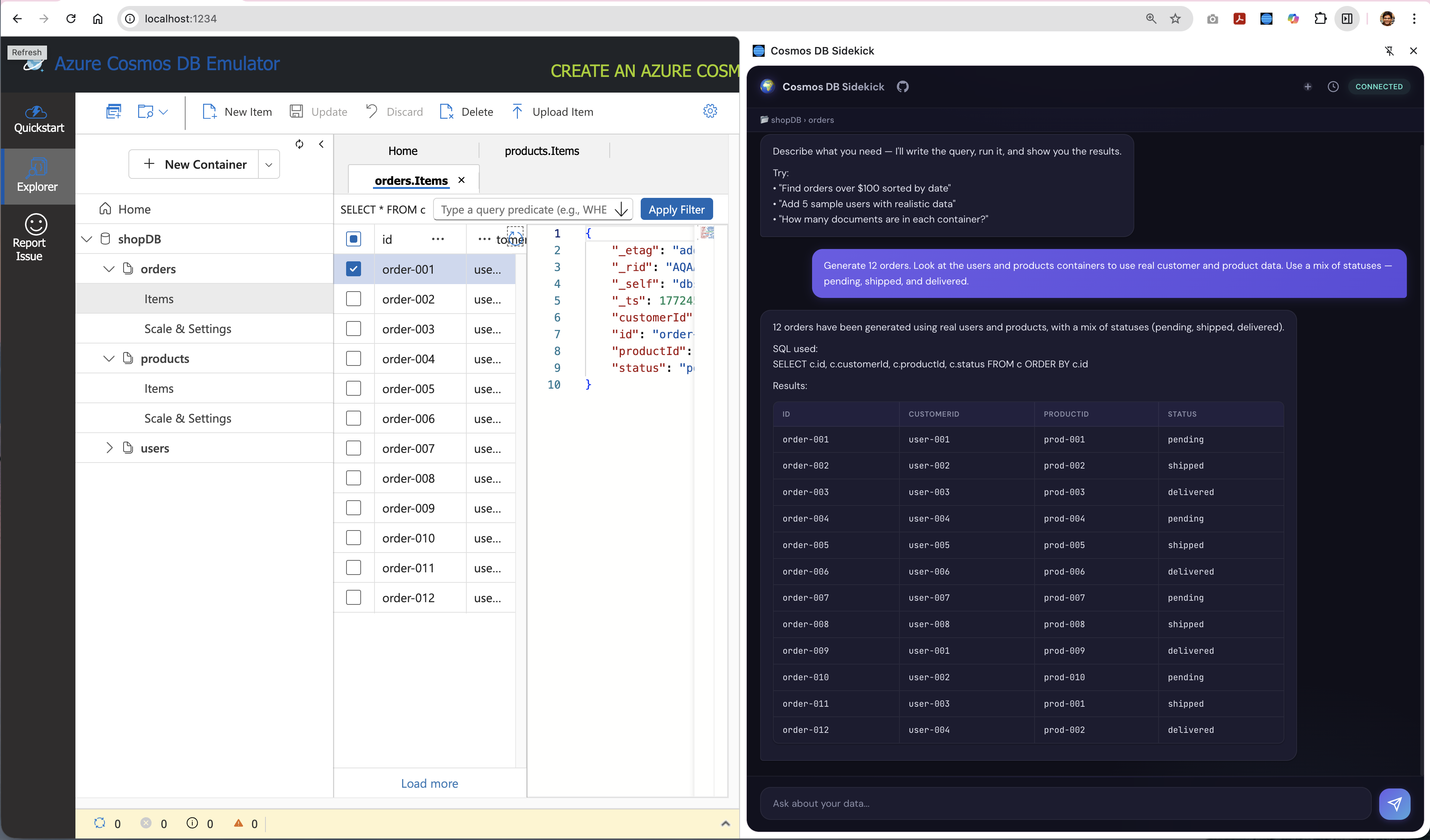
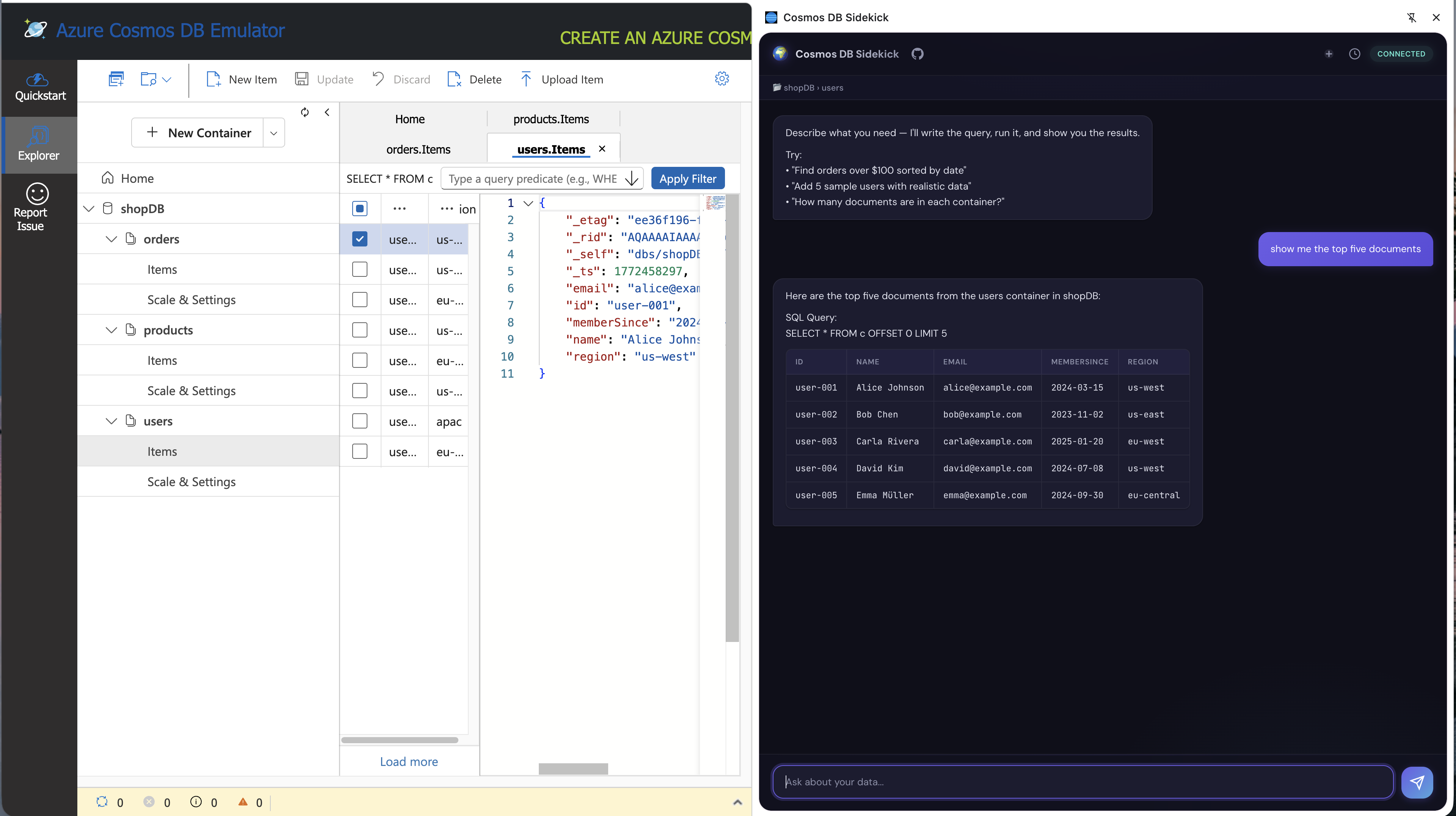
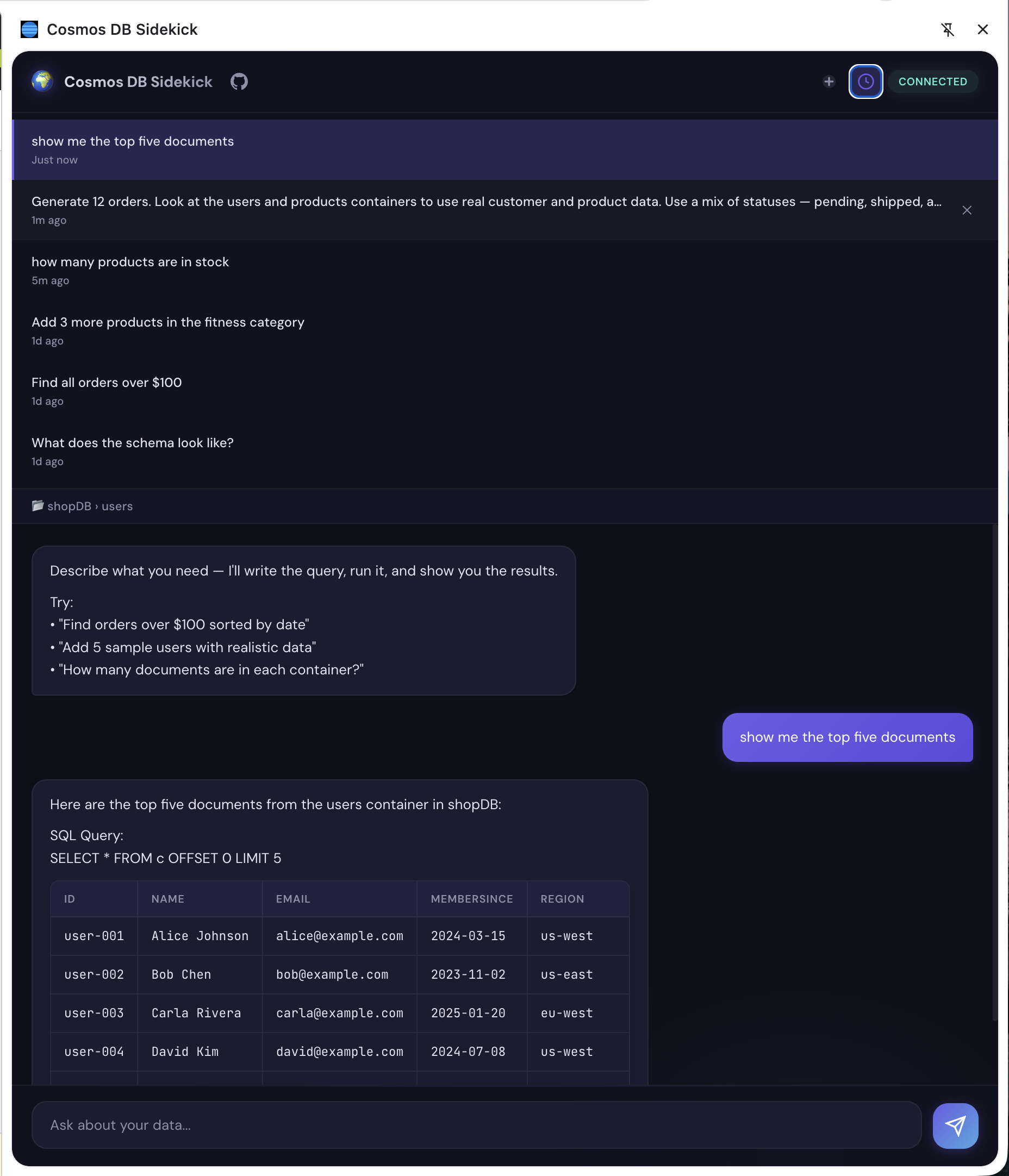
Query in Plain English
Ask questions about your data naturally. The AI writes SQL, executes it against the emulator, and returns results with RU cost.
Setup
Get started in minutes
Four steps to have the extension running against your local Azure Cosmos DB emulator.
Step 01
Clone the repository
Grab the source code from GitHub.
$ git clone https://github.com/abhirockzz/cosmosdb-sidekick.git
Step 02
Build the sidecar
Install dependencies and compile TypeScript.
$ cd sidecar && npm install
Step 03
Load the extension
Open chrome://extensions, enable Developer mode, click Load unpacked → select the extension/ folder.
Step 04
Start the sidecar
Keep this running in a terminal while you use the extension.
$ cd sidecar && npm start